
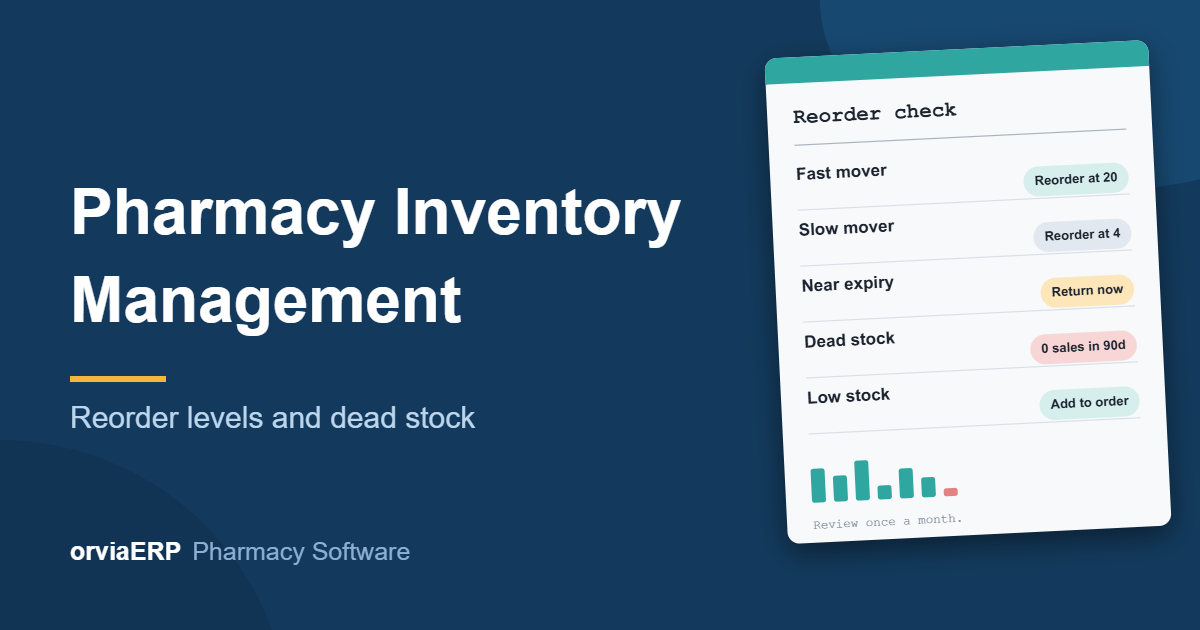
In a medical store, stock is your cash sitting on shelves. Too little of a fast-moving medicine and the customer walks to the next shop. Too much of a slow one and your money is locked up until it expires. Good pharmacy inventory management is the balance between these two problems.
This guide explains reorder levels, how to find dead stock, and a simple monthly routine you can follow with a notebook, a spreadsheet or pharmacy inventory management software.
Know the three kinds of stock
- Fast movers: medicines that sell every day, such as paracetamol, antacids, cough syrups and regular chronic medicines. Running out of these costs you customers.
- Slow movers: medicines that sell a few strips a month. Keep a small quantity, enough for the usual demand.
- Dead stock: medicines that have not sold for a long time. A common rule is no sale in 90 days, though you can choose 60 or 180 days for your shop. Dead stock is where expiry losses come from.
What is a reorder level?
A reorder level is the quantity at which you place a new order. When the stock falls to this number, it is time to buy again, early enough that the new stock arrives before you run out.
A simple way to work it out
Reorder level = average daily sales x days your supplier takes to deliver + a small safety stock.
Example: a medicine sells about 3 strips a day, your distributor delivers in 2 days, and you want 4 strips as a safety cushion. Reorder level = 3 x 2 + 4 = 10 strips. When the shelf shows 10 strips, you order.
Set a maximum level as well
The maximum level is how much you are happy to hold. If you want about 15 days of cover for the same medicine, the maximum is 3 x 15 = 45 strips. The quantity to order is then the maximum minus what you have now. This stops you from over-ordering just because a scheme looks attractive.
Do not try to set everything at once
- Start with your top 50 fastest-selling medicines. They decide most of your sales.
- Add levels for the rest as you notice them running out.
- Keep a general default for the remaining items, for example 5 packs, and fine-tune later.
- For regular customers' monthly medicines, keep stock even if the overall sales look low, because those customers come back every month.
How to find dead stock
- Pull the list of what sold in the last 90 days. A sales-by-item report does this.
- Compare it with your current stock. Any medicine on the shelf that is not in the sold list is a candidate for dead stock.
- Check the expiry date of each one. The sooner it expires, the faster you must act.
- Decide the action for every item: return, discount, move, or stop reordering.
What to do with dead and slow stock
- Return it to the distributor or company while there is still time. Ask your distributor about their return policy; many accept stock a few months before expiry, often against a credit note.
- Offer a discount to move it. Selling at or below MRP is allowed; you can never charge above MRP.
- Stop reordering it until the old stock is finished, and tell whoever places your orders.
- Separate expired stock from saleable stock on a different shelf, and record it. Return or dispose of it as your licence conditions and local rules require.
Connect inventory with expiry
Inventory and expiry are two sides of the same problem. Check the medicines expiring in the next 30, 60 and 90 days every month, and sell the earliest expiry first (the FEFO method). If your stock records are batch-wise, you can see exactly which batch is at risk instead of guessing.
A 30-minute monthly inventory routine
- Look at the low-stock list and place orders for everything below its reorder level.
- Check items that sold out completely last month. Raise their levels if you lost sales.
- Run the expiry list for the next 90 days and plan returns or discounts.
- Run the dead-stock check and decide an action for each item.
- Count a few shelves and match them with the system (a full count at least every quarter).
- Review your top 20 fast movers and adjust their levels.
Common inventory mistakes
- Buying large quantities only for the biggest scheme or discount.
- Having no minimum level for newly added medicines.
- Never counting the shelves, so the system and the shelf drift apart.
- Forgetting to record returns to suppliers and customer returns.
- Ordering from memory instead of from a list.
How Orvia helps
In Orvia you can set a reorder level and a maximum level for each product, and a shop-wide default for everything else. The low-stock list and the dashboard flag items that are low or out of stock. The order list shows every low item with a suggested number of packs (the maximum minus what is on the shelf), the packs sold in the last 30 days, and the supplier you last bought it from. You can send each supplier's list on WhatsApp, print it, download it, or turn it into a purchase order in one click. The expiry report shows batches expiring soon, and the stock count feature lets you match the shelf with the system. For dead stock, use the items sold report for the last 90 days and compare it with your stock list.
Final thoughts
You do not need a complicated system to manage pharmacy inventory. You need sensible reorder levels for your fast movers, a monthly look at dead stock and expiry, and a habit of counting the shelf. Do these three things and you will lose fewer sales to stock-outs and fewer rupees to expiry.
Want inventory alerts and order lists without the spreadsheet? Visit the Orvia pharmacy software page or start your free trial at pharmacy.orviaerp.com. Questions? WhatsApp us on +91 7007761116.